Route Optimization
Once you've added route assignments in the Route Builder, you can use the route optimization feature to automatically arrange stops in the most efficient order. This feature helps reduce travel time and distance while respecting your starting and ending locations.
Optimizing Your Route
After creating your route assignments, click the Optimize Route button to begin the optimization process.
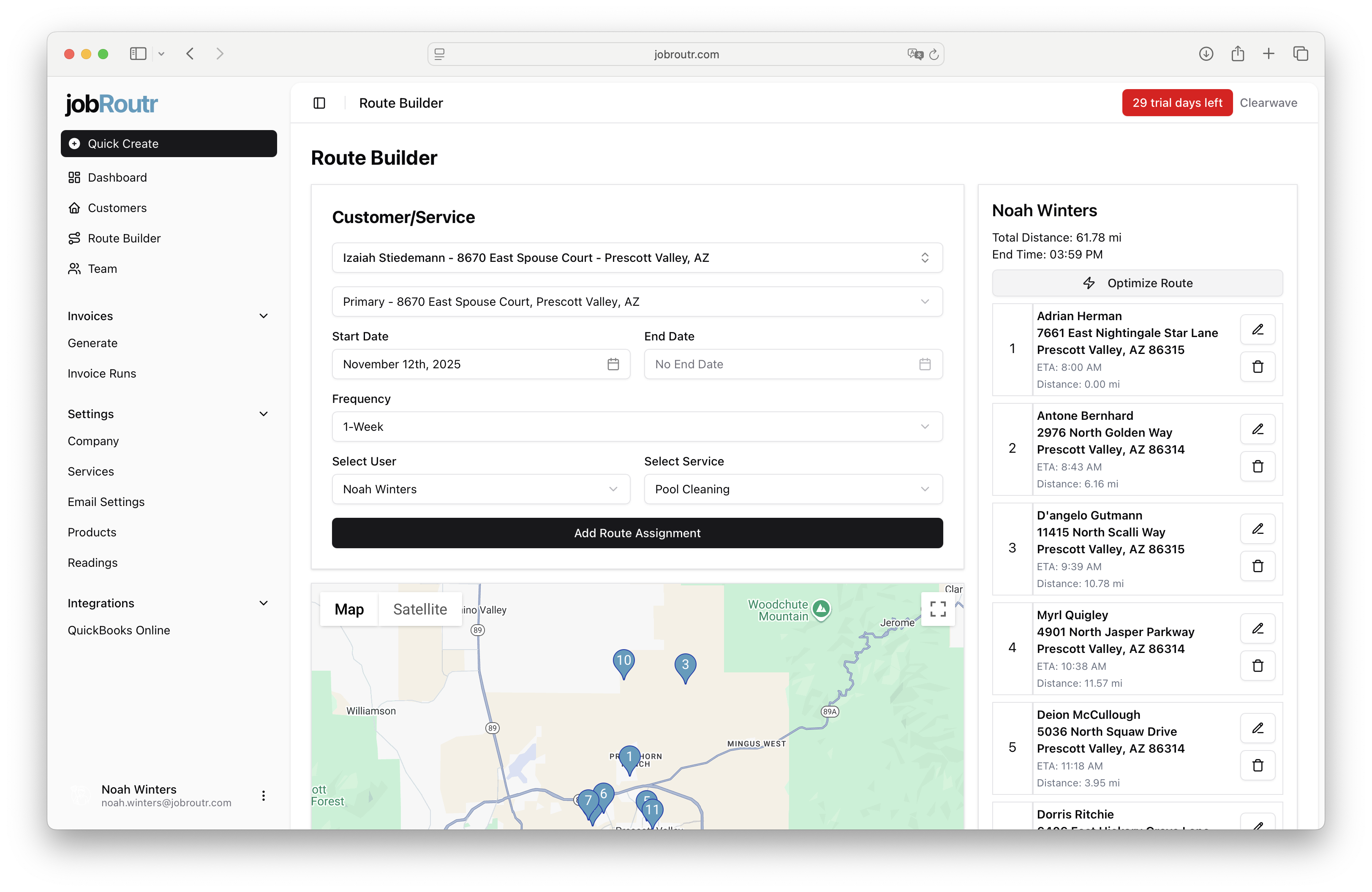
Setting Optimization Parameters
When you click the Optimize Route button, a modal will appear allowing you to specify your optimization preferences.
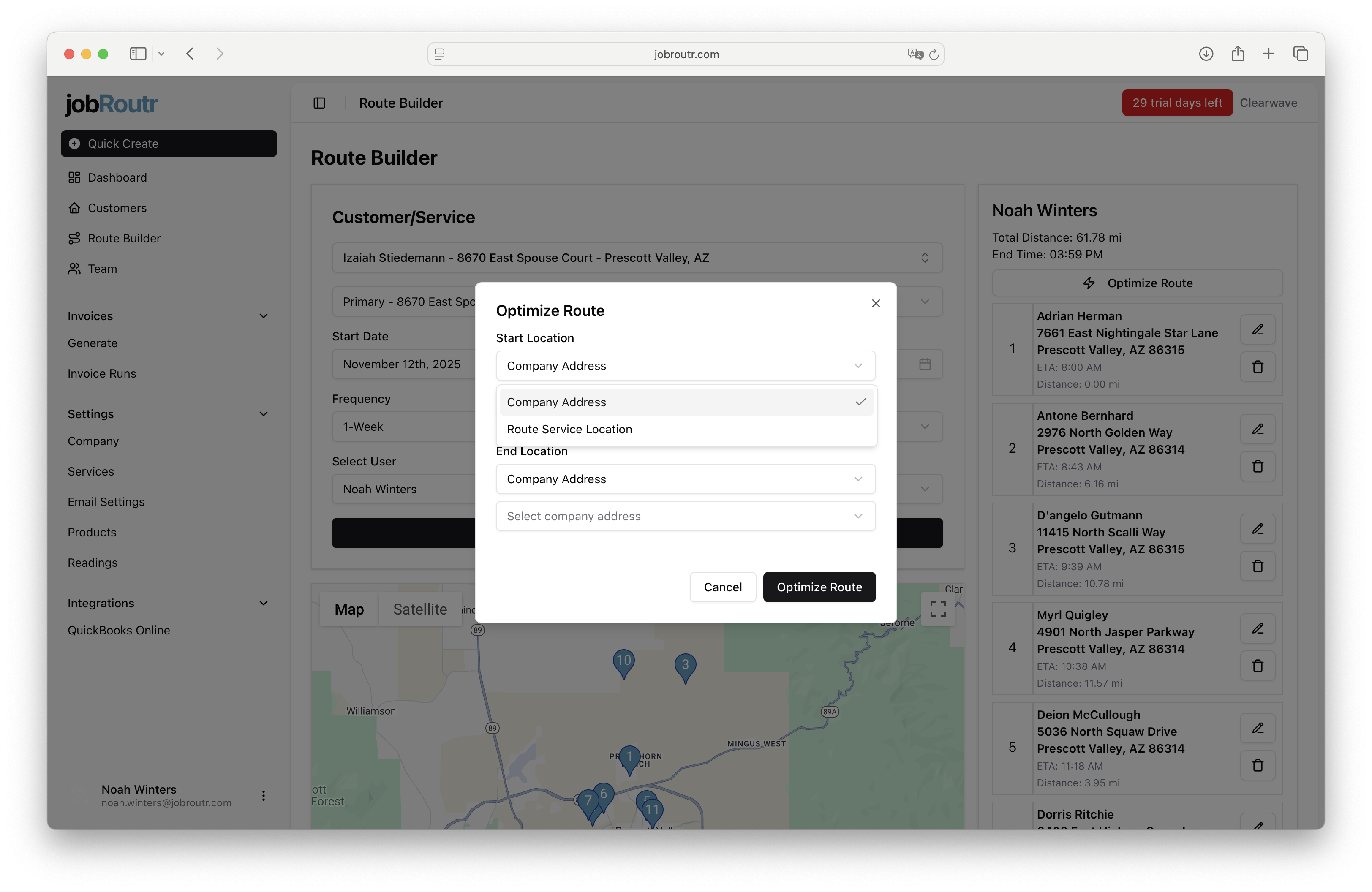
You can configure:
- Starting Location: Where the route should begin
- Ending Location: Where the route should end
Both starting and ending locations can be:
- A company address (configured in Additional Setup - see Company Settings for details)
- One of the locations from your selected route
Setting proper start and end points helps ensure your routes align with your team's actual workflow, such as starting from your office and returning at the end of the day.
Previewing and Saving Optimized Routes
After the optimization runs, you'll see a preview of your optimized route on the map with updated stop sequences and route metrics.
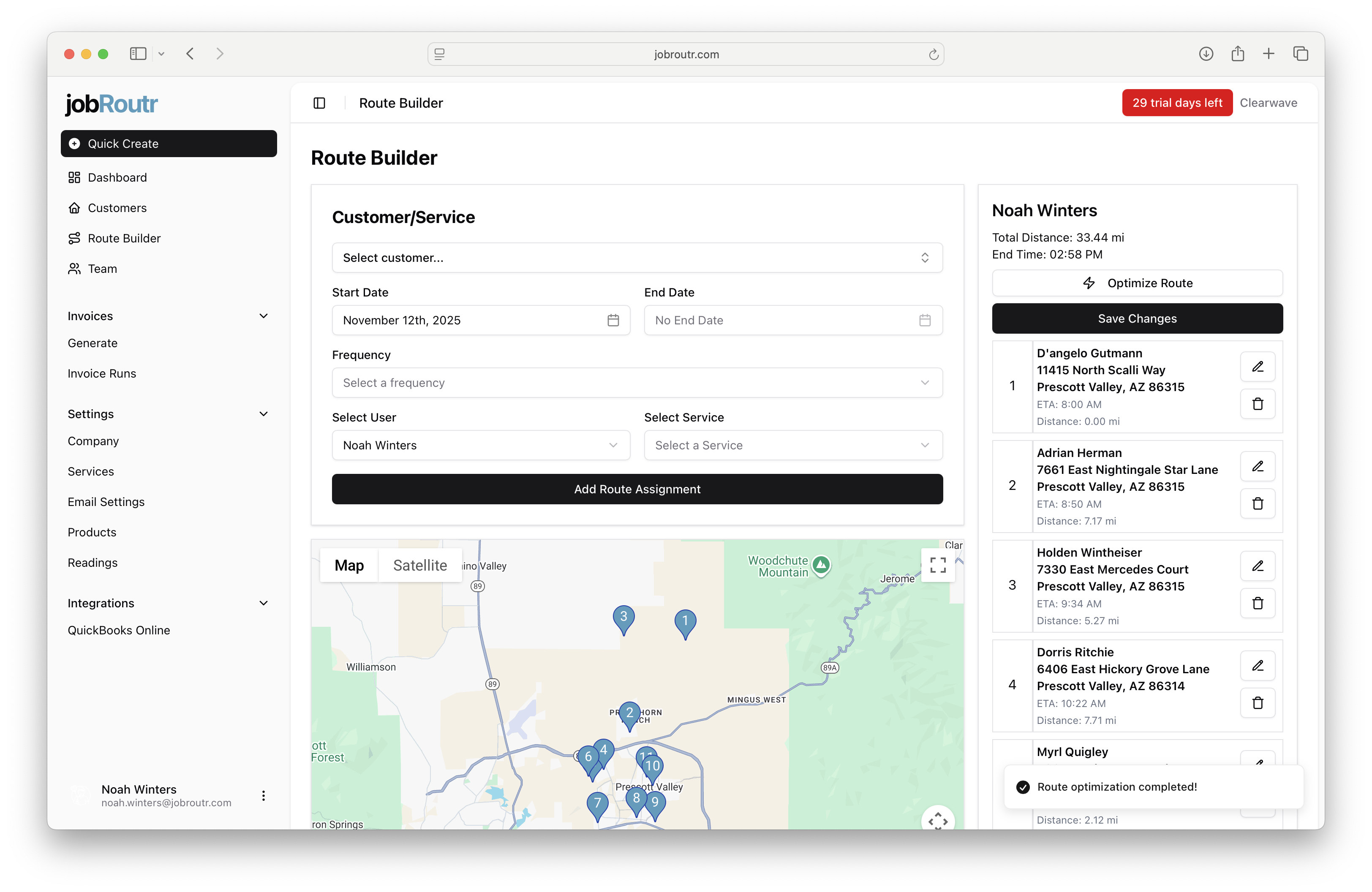
Review the Results
The preview shows:
- Updated stop order based on optimization
- Recalculated total distance
- New estimated end time
- Visual route path on the map
Saving Your Changes
If you're satisfied with the optimized route:
- Review the stop order and route metrics
- Click Save Changes to apply the optimization
- Your route assignments will be updated with the new order
If the optimized route doesn't meet your needs, you click and hold the number of the route and drag and drop it to manually adjust your route assignments instead.
Best Practices
- Set realistic start and end locations that match your team's actual workflow
- Review the optimized route before saving to ensure it makes sense for your specific situation
- Consider time windows and customer preferences that may not be captured by distance-based optimization
- Re-optimize periodically when you add or remove stops from an existing route