Service Reports
Service Reports are professional email notifications automatically sent to customers after a service visit is completed. These reports provide customers with detailed information about the work performed, including completed tasks, readings, products used, and photos from the service visit.
Overview
Service Reports help maintain transparency and communication with your customers by automatically documenting each service visit. When a job is marked as completed, the system can send a branded email report to the customer with all relevant service details.
Report Contents
Each Service Report includes the following information:
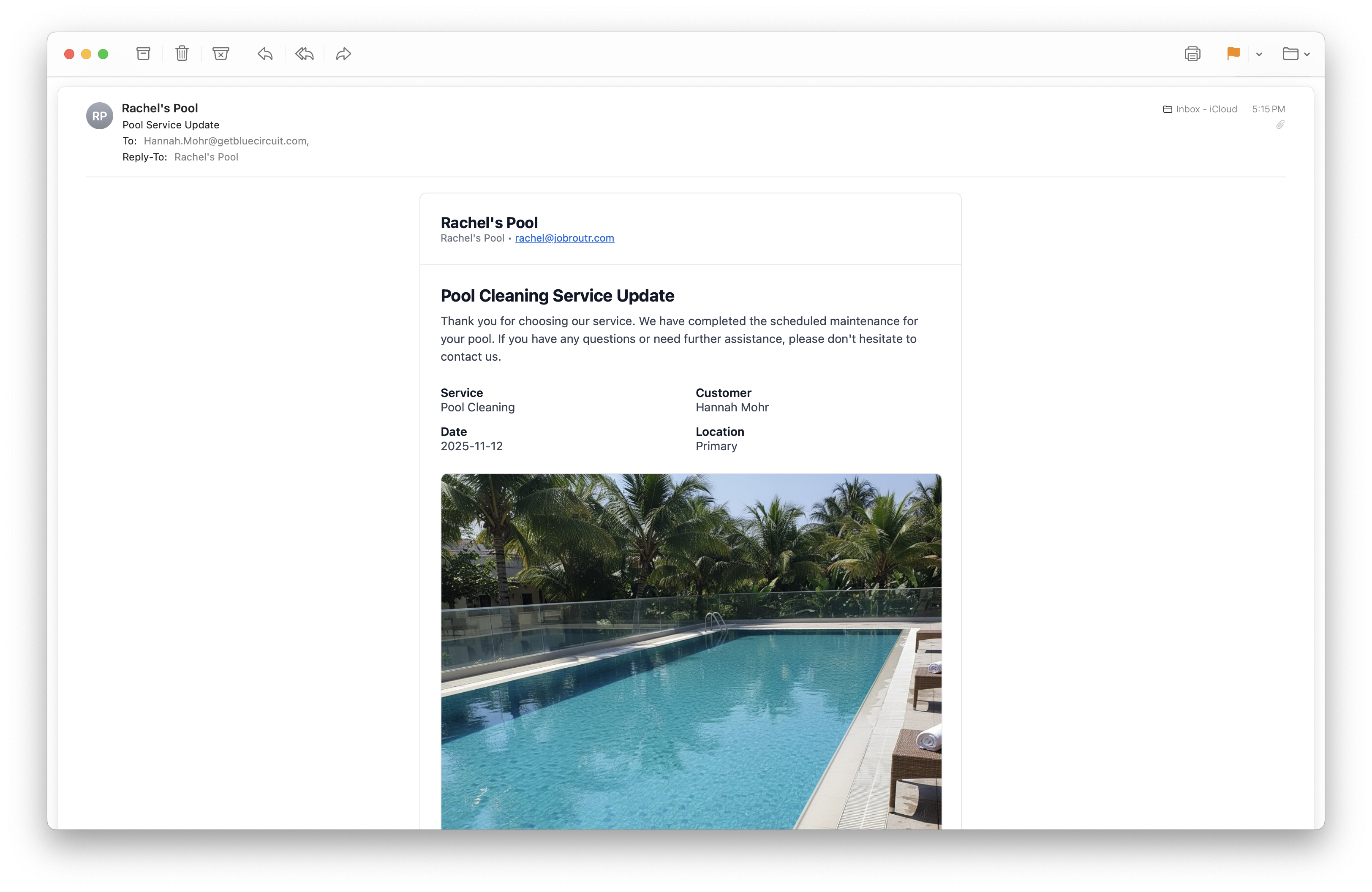
Header Information
- Company Name: Your business name and branding
- Service Title: The type of service performed
- Customer Name: The customer receiving the service
- Service Date: When the service was completed
- Location: Which property location was serviced (Primary, Secondary, etc.)
Service Photo
A professional photo from the service visit is prominently displayed, providing visual confirmation of the completed work.
Detailed Service Information
The second part of the report provides comprehensive service details:
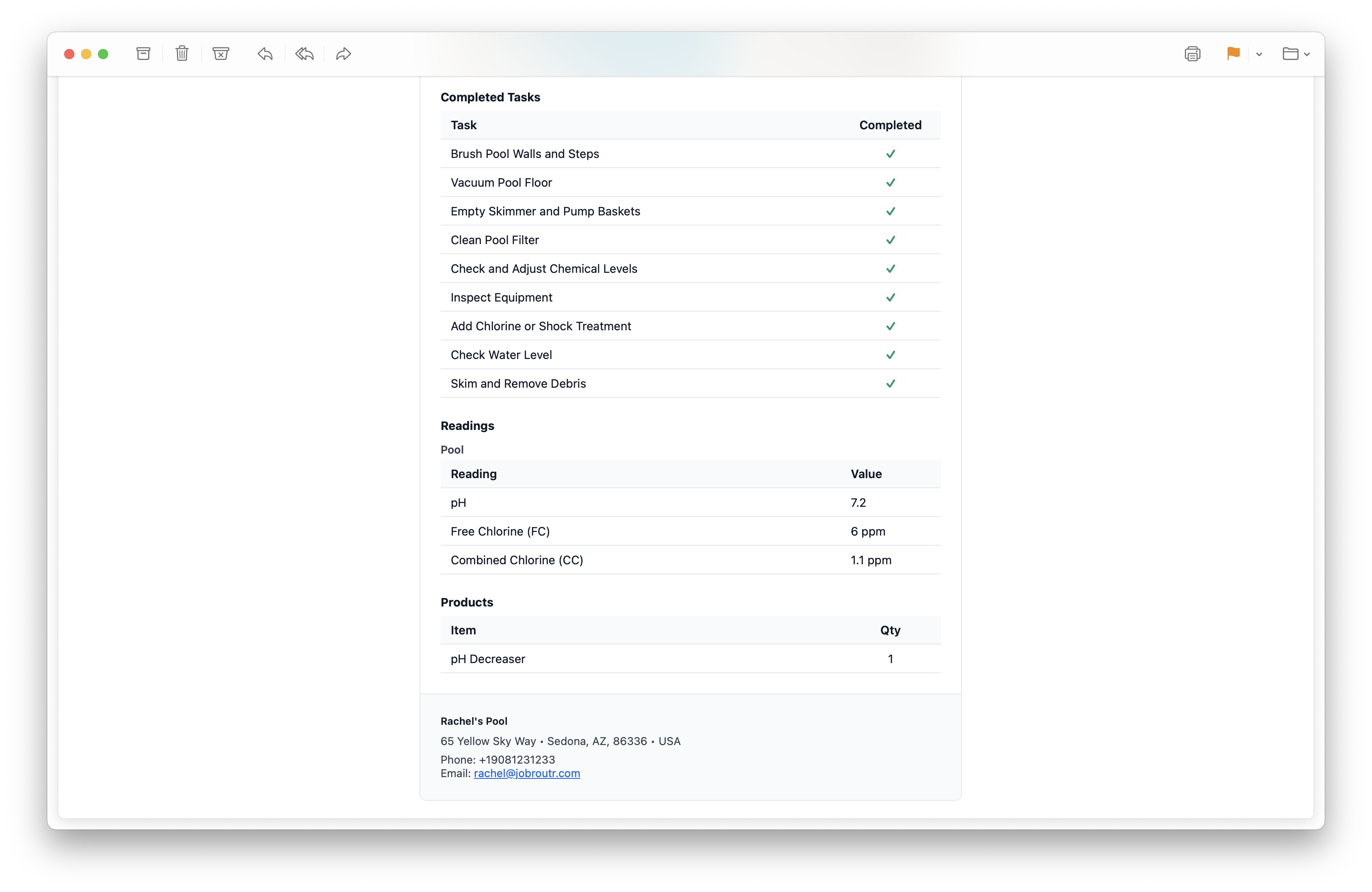
Completed Tasks
A complete checklist of all tasks performed during the service visit. Each task shows:
- Task name with checkmark indicator
- Status: "Completed" in green
Readings Section
Water chemistry measurements and other relevant readings taken during the service:
Pool Readings Table:
| Reading | Value |
|---|---|
| pH | 7.2 |
| Free Chlorine (FC) | 6 ppm |
| Combined Chlorine (CC) | 1.1 ppm |
Products Section
A list of any products or materials used during the service:
Items Used:
| Item | Quantity |
|---|---|
| pH Decreaser | 1 |
Company Contact Information
The footer includes your business contact details:
- Business address
- Phone number
- Email address
Automatic Delivery
Service Reports can be configured to send automatically when:
- A job status is changed to "Completed"
This ensures customers receive timely updates about their service without requiring manual intervention.
Benefits
Service Reports provide several advantages:
- Customer Communication: Keep customers informed about completed work
- Transparency: Show exactly what tasks were performed and readings taken
- Professionalism: Branded emails enhance your business image
- Documentation: Create a paper trail for services rendered
- Accountability: Customers can see the thoroughness of your service
- Product Tracking: Document materials used for billing and inventory
Customization
Service Reports automatically pull information from:
- Your company settings and branding
- The specific service template and checklist
- Readings entered by technicians
- Photos captured during the visit
- Products/items recorded in the system
Ensure your technicians complete all sections of a service visit (tasks, readings, photos) to provide customers with comprehensive service reports.