Service History
Service History provides a detailed record of all completed services for a customer location. This comprehensive view includes service details, technician information, completed tasks, readings, items used, and photos captured during the service.
Accessing Service History
You can access Service History in two ways:
- From the Dashboard: Click on the technician's name on any scheduled or completed job
- From Customer Details: Navigate to a service location and click the Service History button
Service History Overview
The Service History page displays a chronological list of all services performed at a location. Each service entry shows:
- Service Type: The type of service performed (e.g., Pool Cleaning)
- Date and Time: When the service was completed
- Status: Current status of the service (e.g., Completed)
Service Details
When you select a specific service from the history, you'll see comprehensive information including:
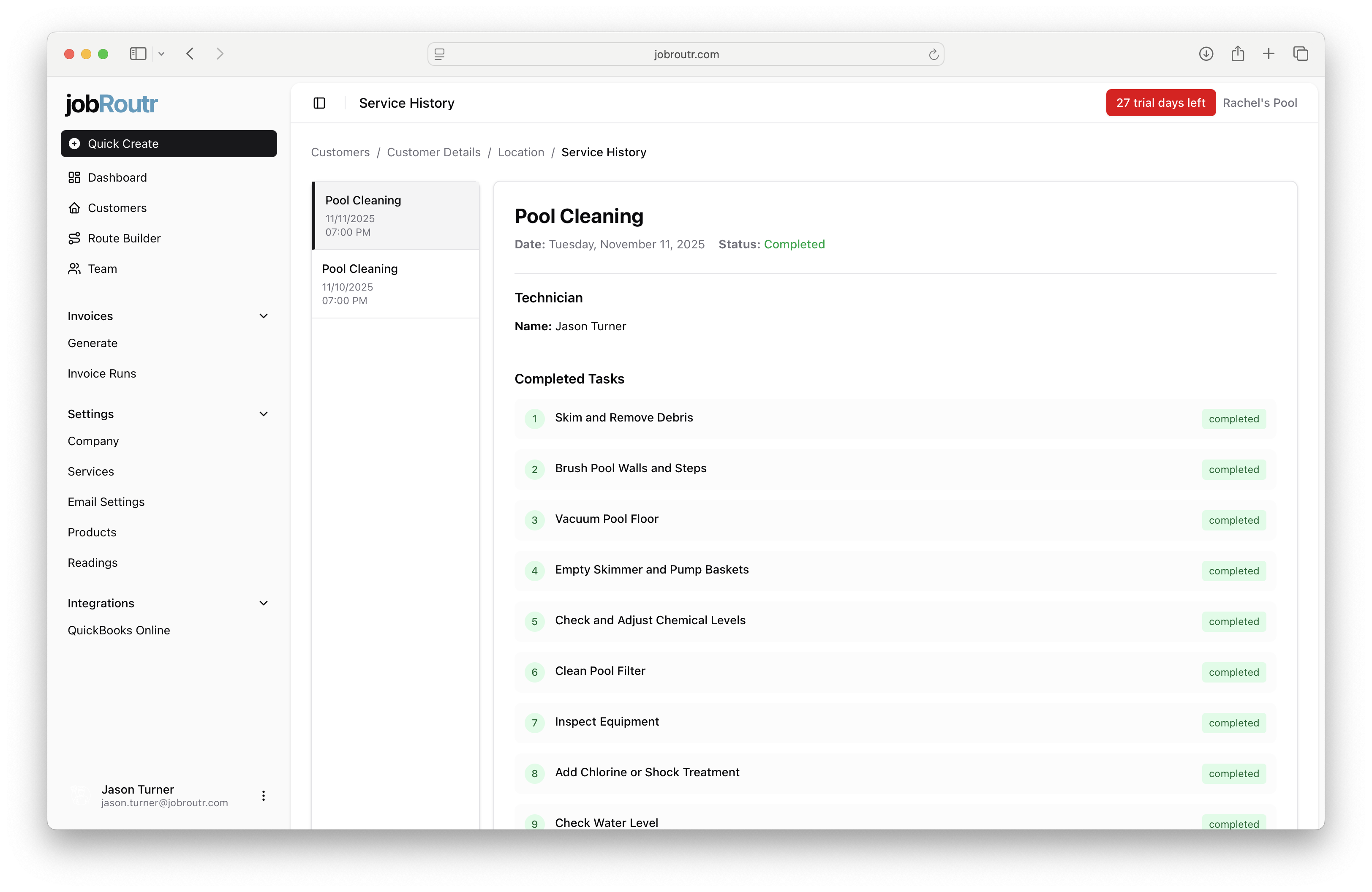
Service Information
- Date: The date the service was performed
- Status: Completion status with visual indicators (green for completed)
- Technician: Name of the technician who performed the service
Completed Tasks
A detailed checklist of all tasks completed during the service visit, including:
Each task is marked with a numbered indicator and "completed" status in green.
Readings
The Readings section displays water chemistry measurements taken during the service:
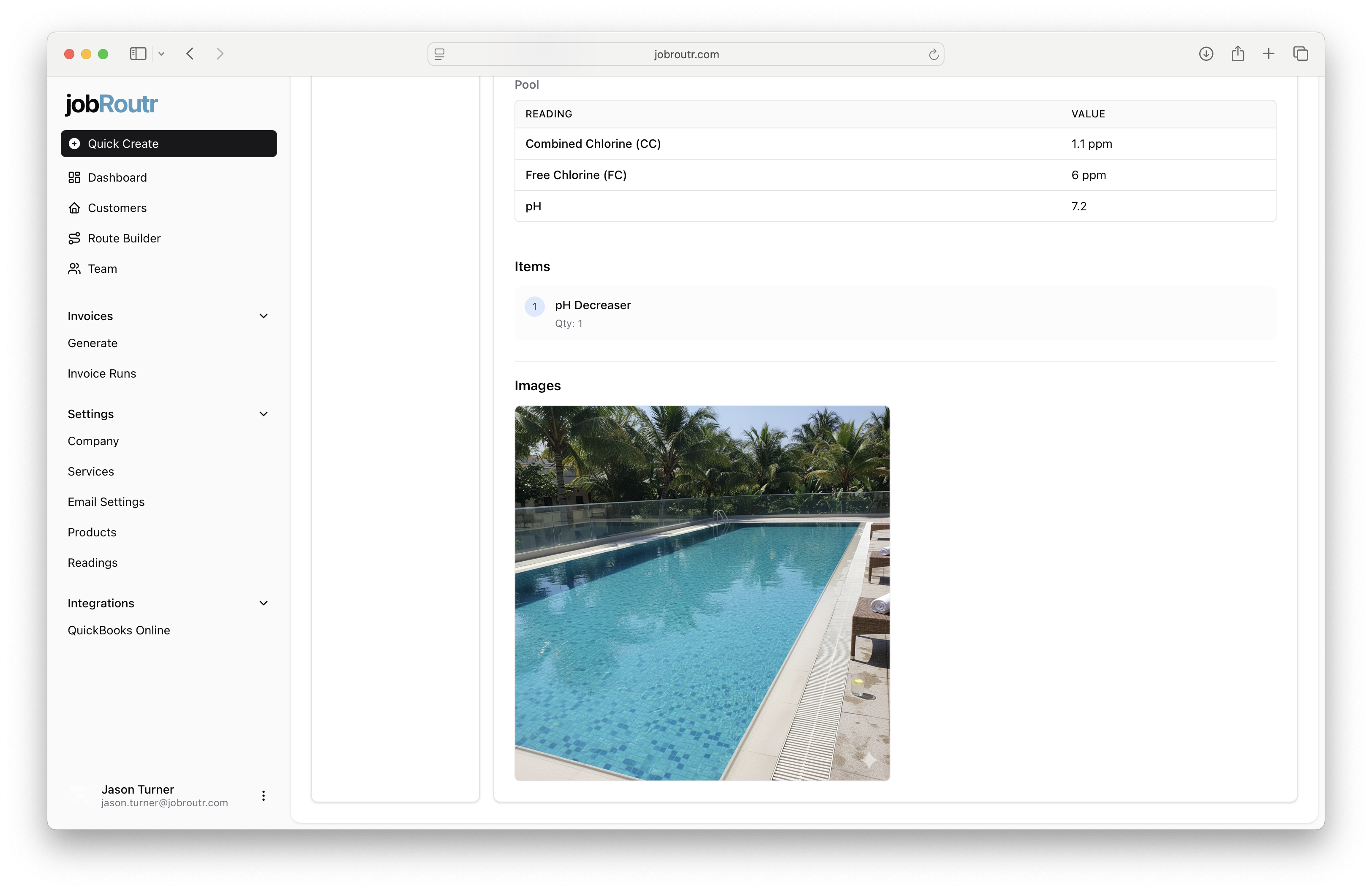
Pool Readings Table
| Reading | Value |
|---|---|
| Combined Chlorine (CC) | 1.1 ppm |
| Free Chlorine (FC) | 6 ppm |
| pH | 7.2 |
These readings help track water quality over time and ensure proper chemical balance.
Items Used
This section lists any products or materials used during the service:
- Item Name: Description of the product used
- Quantity: Amount used during the service
Example: "pH Decreaser - Qty: 1"
Images
Photos captured by the technician during the service visit are displayed in the Images section. These photos provide visual documentation of:
- Pool condition before/after service
- Equipment status
- Any issues or concerns
- Proof of service completion
Images are stored chronologically.
Benefits of Service History
- Transparency: Customers can see exactly what work was performed
- Quality Control: Verify all tasks were completed as scheduled
- Historical Records: Track trends in water chemistry and service needs
- Documentation: Visual proof of service completion and property condition
- Issue Tracking: Identify recurring problems or maintenance patterns
Tips for Using Service History
- Review service history before scheduling maintenance to identify patterns
- Share service history with customers for transparency
- Use historical readings to optimize chemical treatment plans
- Reference photos when discussing equipment issues or upgrades
- Compare completion times and task lists across different technicians